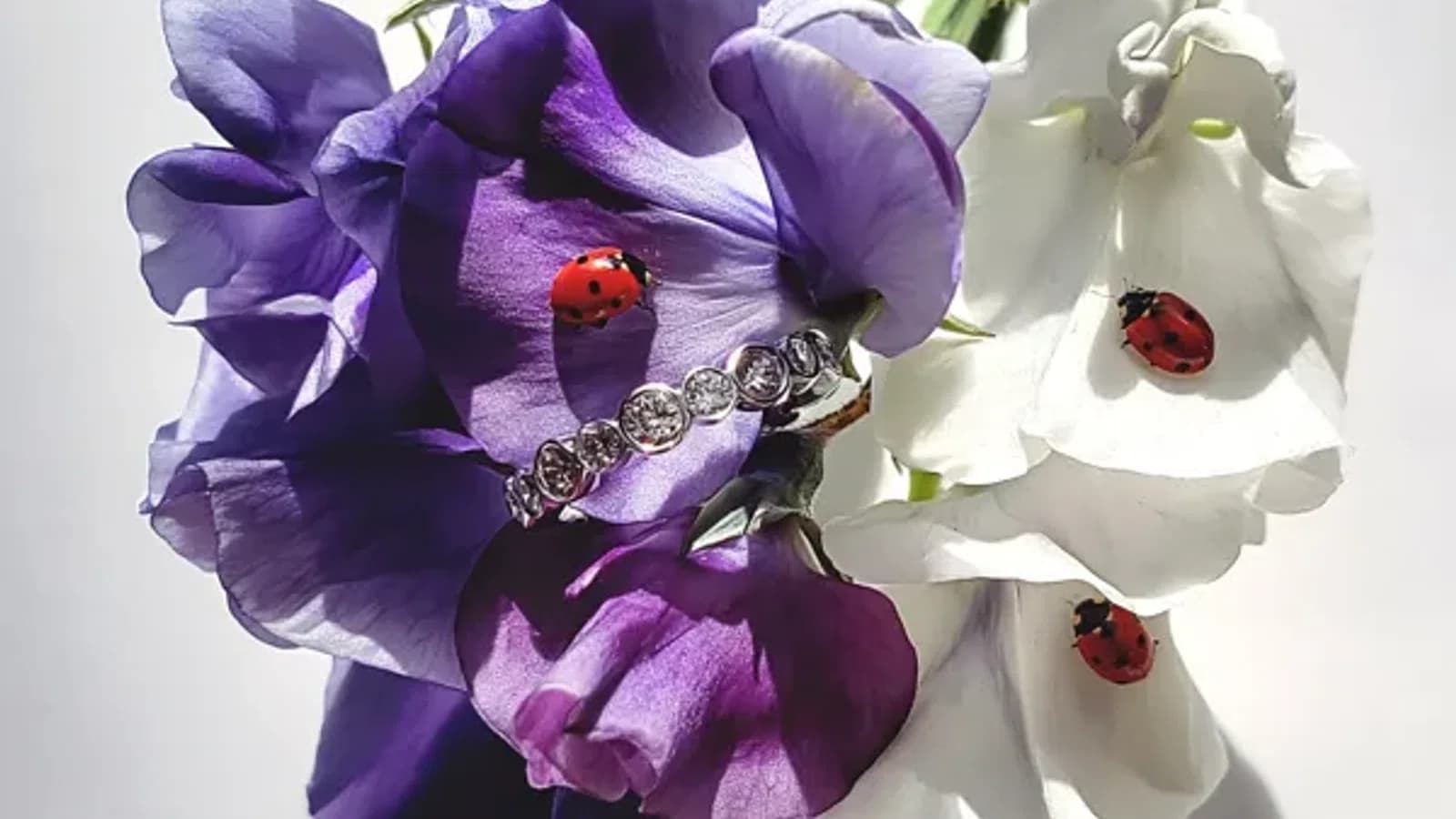
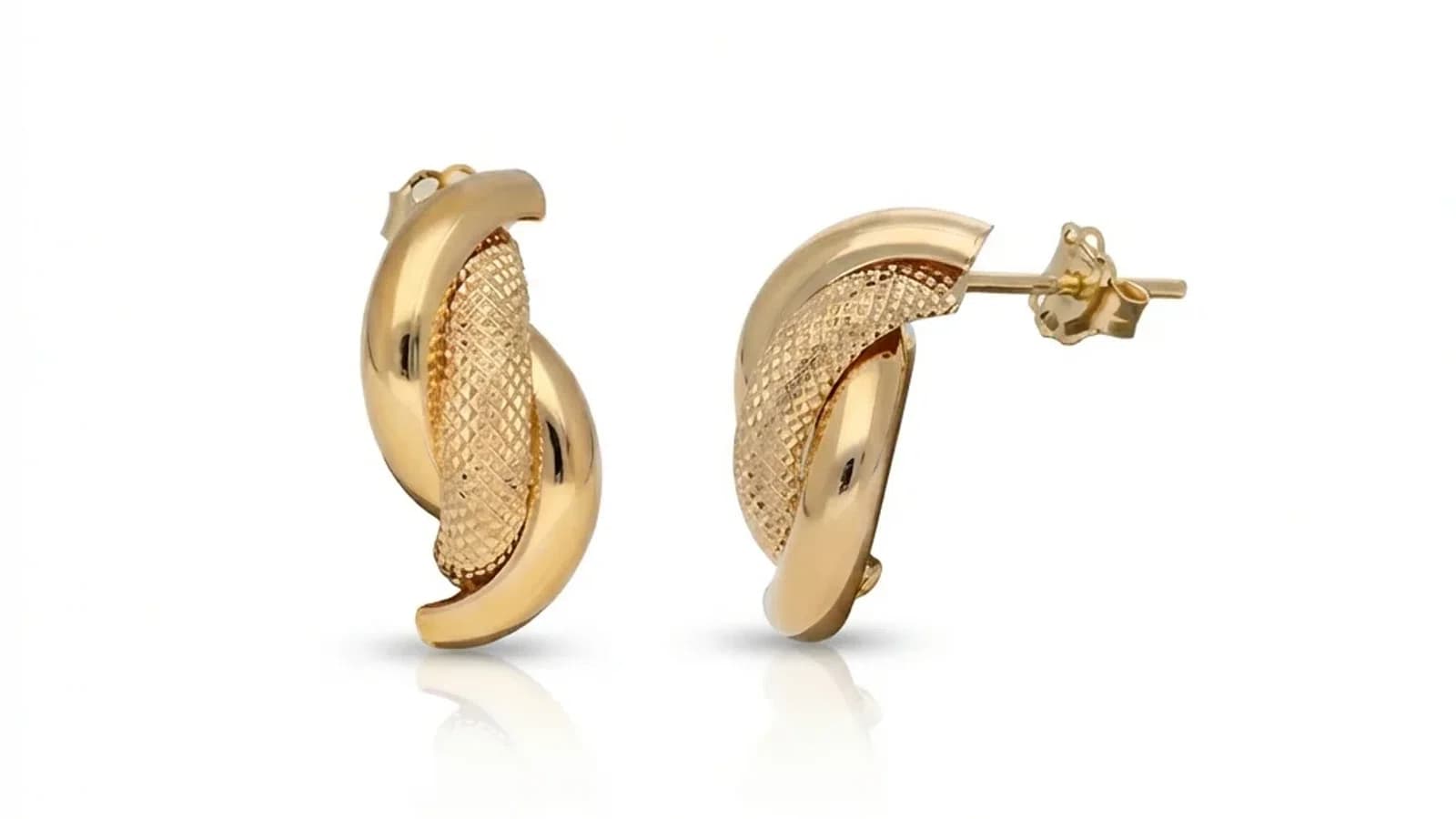
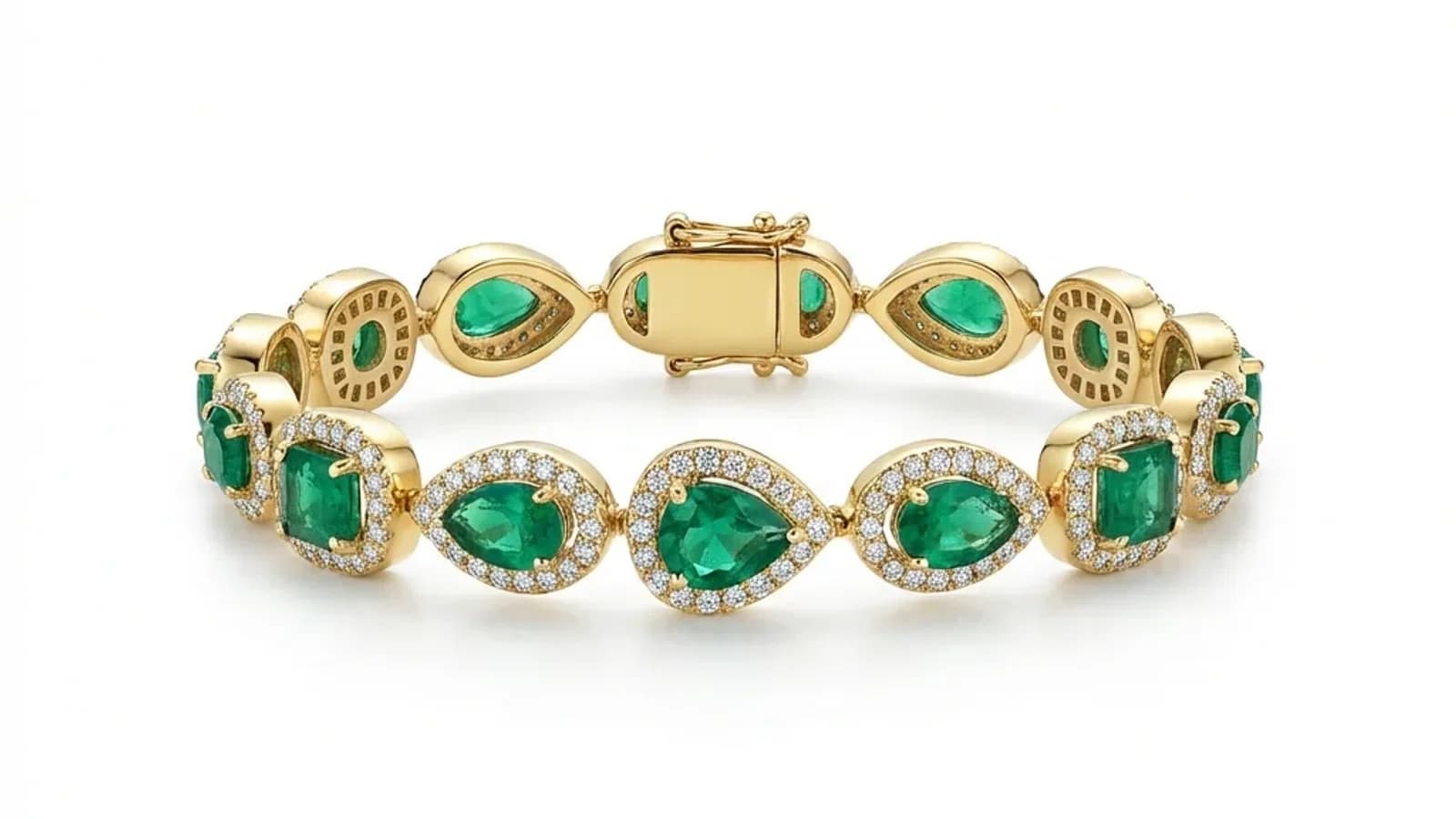
Professional jewelry product photos optimized for a Shopify store
Platform

AI Jewelry Photo Editing for Shopify Stores: 2026 Guide

Learn how AI jewelry photo editing boosts Shopify conversion rates. Covers image specs, workflow integration, and scaling product photography in 2026.

By Serdar Arniyazov|March 14, 20269 min read
Share:

TL;DR

Shopify jewelry stores live and die by the quality of their product photos — poor images are the number one reason shoppers abandon product pages. AI-powered photo retouching now lets independent Shopify sellers produce studio-quality jewelry images in seconds, without expensive photographers. This guide covers everything from Shopify's image requirements to building a scalable photo production system.

Why do Shopify jewelry stores live or die by photo quality?

Jewelry is a high-consideration, tactile product that customers cannot touch online — so images carry the entire burden of communicating quality, craftsmanship, and desirability. Studies consistently show that product photography is the single most influential factor in jewelry purchase decisions, with 83% of shoppers saying image quality directly affects their confidence to buy. On Shopify, where a visitor makes a snap judgment in under three seconds, a dark or blurry photo is effectively a closed door.

Jewelry sits in a unique category of e-commerce product. Unlike electronics or apparel, where specs or fit charts can partially compensate for weak photos, a ring or necklace must be seen to be believed. Customers are evaluating dozens of micro-signals: the brightness of a diamond, the smoothness of a gold band, the way light reflects off a gemstone setting. When those signals are absent — because the photo was taken under a kitchen lamp or processed with a basic smartphone filter — the perceived value of the product collapses, regardless of the actual quality.

The conversion rate data is stark. Shopify merchants who upgrade their jewelry photography report conversion rate increases of 20–45% on the same products, with no change to price or copy. That is not a marginal gain — it is often the difference between a store that grows and one that stagnates. Bounce rates on jewelry product pages with poor images run 15–25% higher than the store average, meaning a significant share of paid traffic is wasted before it has a chance to convert.

There is also a trust dimension. Modern shoppers, trained by years of marketplace shopping, have finely tuned instincts for low-effort product pages. A photo that looks amateurish signals risk: is this product as described? Will it look like this when it arrives? Will this seller be around if I need to return it? Professional photography removes that friction. A clean white background, perfectly exposed metal, and crisp gemstone detail communicates that the seller is serious, established, and trustworthy — before a single word of copy is read.

Key photo quality signals that Shopify jewelry buyers look for: - Pure white or neutral background (no shadows, no gradient) - True-to-life metal color (yellow gold, rose gold, and silver must be distinguishable) - Sharp focus on the entire piece, including hallmarks and prong details - No visible reflections of the photographer, backdrop stand, or light equipment - Consistent lighting across all products in a collection

For Shopify store owners without a professional photography budget, AI retouching has become the practical answer to all of these requirements.

What are Shopify's image requirements and best practices for jewelry in 2026?

Shopify recommends uploading images at 2048 x 2048 pixels in a square 1:1 ratio, in JPG or WebP format for optimal performance. For jewelry specifically, a pure white background (#FFFFFF) is the industry standard and activates Shopify's zoom feature most effectively. Square crops at minimum 800 x 800 pixels are the functional floor, but 2048px is the safe target for high-DPI displays and zoom.

Shopify's technical requirements are relatively flexible, but best practices for jewelry are much more specific. Getting these details right is not optional — it directly determines whether your product pages feel premium or amateur.

**Image dimensions and format** Shopify supports images up to 4472 x 4472 pixels at a maximum file size of 20MB. For jewelry, upload at 2048 x 2048px. This gives Shopify's zoom feature enough resolution to show crisp detail when a shopper hovers — a feature that is especially critical for jewelry, where customers want to inspect prongs, engravings, and stone clarity. WebP is now the preferred format; it reduces file size by 25–35% compared to JPG with no visible quality loss, which improves page load speed and Core Web Vitals scores.

**Aspect ratio** Square (1:1) is the Shopify default and the safest choice. It ensures consistent grid layouts on collection pages and prevents awkward cropping on mobile. Some themes support portrait (4:5) ratios, which can give jewelry more visual space, but check your theme documentation before committing to non-square images across your catalog.

**Background standards** - Pure white (#FFFFFF or 255/255/255 RGB) is the professional standard for most jewelry categories - Light gray (#F5F5F5) is acceptable for fashion jewelry with silver tones that can get lost against pure white - Lifestyle or contextual backgrounds should be used only for secondary images, never the main product shot - Avoid off-white, cream, or slightly warm backgrounds — they read as dirty or low-quality on calibrated screens

**The zoom feature** Shopify's built-in zoom activates at 800px minimum but performs best at 2048px or higher. For jewelry, zoom is not a nice-to-have — it is a conversion tool. Shoppers who use the zoom feature on a jewelry product page convert at 2.5x the rate of those who do not. Every detail visible at zoom level — a clean prong, a well-polished surface, a clear hallmark — builds confidence.

**Number of images per product** Shopify allows up to 250 images per product variant. For jewelry, a minimum of 4–6 images per product is recommended: 1. Hero shot: front-facing on white background 2. Angle view: 45-degree showing depth and setting 3. Detail close-up: gemstone, hallmark, or clasp 4. Scale reference: worn on a hand or neck (lifestyle) 5. Variant comparison: if offering multiple metals or stones

AI retouching tools can produce images 1–3 automatically and consistently, making it practical to hit these minimums across a large catalog.

How do you set up a professional Shopify jewelry product page?

A high-converting Shopify jewelry product page combines a strong hero image with a sequenced visual story — hero shot, detail close-up, lifestyle image, and a scale reference. The image sequence should answer the customer's three core questions in order: what does it look like, how is it made, and what will it look like on me? Getting this sequence right, with consistent, high-quality images, is more impactful than any copy or app addition.

The product page is where purchase decisions are made or lost. For jewelry, the visual hierarchy of the page is everything — most shoppers will scroll through images before reading a single word of description.

**The image sequence that converts** Think of your image gallery as a visual sales pitch with a specific order: 1. **Hero image** — Clean white background, perfectly centered, full piece visible. This is your first impression and your thumbnail on collection pages. It must be flawless. 2. **Detail image** — Zoom in on the most impressive feature: the stone setting, the engraving, the clasp mechanism. This image answers the question "how well is this made?" 3. **Angle/depth image** — A 45-degree or profile shot shows the three-dimensional form of the piece. This is especially important for rings and pendants, where depth matters. 4. **Lifestyle image** — Show the piece being worn. This answers "will this look good on me?" and creates emotional connection. Scale becomes clear here too. 5. **Variant comparison** (if applicable) — If you offer the same design in yellow gold, rose gold, and silver, a side-by-side comparison image dramatically reduces back-and-forth questions.

**Consistent visual style across the catalog** Inconsistent lighting, varying background shades, and mixed cropping ratios are among the most common problems on Shopify jewelry stores. When a customer navigates from one product to another, jarring visual inconsistency creates subconscious doubt. Every image in your catalog should feel like it came from the same photoshoot. AI retouching enforces this consistency automatically — every image gets the same background, the same brightness standard, the same crop ratio.

**Page speed and image optimization** Shopify automatically generates multiple sizes of each uploaded image, but the quality of the source file matters. Always upload the highest resolution image you have (2048px+) and let Shopify resize down. Compressed or upscaled source images degrade at every Shopify-generated size. Use WebP format and keep individual files under 500KB for fast load times.

**Schema markup and alt text** Every product image on Shopify should have a descriptive alt text. Not only does this improve accessibility, it contributes to Google Image Search rankings — a meaningful traffic source for jewelry. Good alt text example: "14k yellow gold diamond solitaire engagement ring with princess cut 1ct center stone, white background." AI tools can help generate alt text at scale.

How does AI retouching integrate with Shopify jewelry workflows?

AI retouching integrates with Shopify jewelry workflows through a simple process: photograph products on any clean surface, upload raw images to an AI retouching tool, receive professionally edited images in seconds, then upload directly to Shopify. The best AI tools for jewelry handle background removal, white balance correction, brightness normalization, and shadow addition in a single automated step — eliminating the need for Photoshop expertise.

The traditional jewelry photography workflow was a bottleneck. Even for sellers with basic photography skills, producing a consistent set of product images required: setting up a lightbox, adjusting lights, shooting multiple angles, culling the best frames, importing to Lightroom or Photoshop, manually masking the background, adjusting levels and white balance, exporting at the right size, and uploading to Shopify. For a 20-product catalog, this could consume an entire day. For a 200-product catalog, it required dedicated staff or an expensive outsourcing budget.

AI retouching collapses this workflow significantly.

**The AI-integrated Shopify workflow in practice**

1. **Shoot raw photos** — Use a smartphone or basic mirrorless camera on a light gray or white surface. Lighting does not need to be perfect; AI will correct it. Shoot 2–3 angles per piece. 2. **Upload to AI retouching tool** — Services like Jewels Retouch are trained specifically on jewelry. Upload the raw image via web browser or API. 3. **Automated processing** — AI removes the background, replaces it with pure white, corrects color temperature, adjusts brightness and contrast, sharpens the piece, and optionally adds a soft ground shadow. Processing time: 10–30 seconds per image. 4. **Review and download** — Review the output, download the processed image in your target resolution and format (JPG or WebP at 2048px). 5. **Upload to Shopify** — Upload directly to the product variant. Alt text can be added at upload.

**API integration for high-volume sellers** For Shopify stores with frequent new product launches or large catalogs, most AI retouching services offer API access. This allows raw images to be piped into the retouching service automatically — for example, triggered when a new product draft is created — and the processed image to be returned and attached to the product without manual steps. This kind of integration can reduce the time from "product photographed" to "live on Shopify" to under five minutes.

**What AI handles vs. what it does not** Current AI retouching tools handle backgrounds, exposure, and color correction extremely well. They are less reliable for: - Physically damaged pieces (scratches, tarnish) — these require manual retouching or re-shooting - Very dark or heavily faceted stones where automatic sharpening can produce artifacts - Lifestyle/on-model images, which are better handled with conventional editing

For the hero and detail images that drive the majority of conversions, AI delivers professional results reliably.

What is the real conversion rate impact of better jewelry photos on Shopify?

Shopify merchants who have upgraded from DIY photography to AI-retouched professional images report conversion rate increases of 20–45% on identical products, with some reporting even higher gains on lower-priced fashion jewelry where photo quality has the largest influence on perceived value. The return on investment is typically achieved within the first week of updated images going live, particularly for stores running paid traffic.

Conversion rate is the ultimate metric for a Shopify store, and product photography is one of its most powerful levers — yet it is often overlooked in favor of paid ads, email flows, and discount strategies.

**What the data shows** A/B testing photo quality is difficult to run in controlled conditions on individual Shopify stores, but aggregated data from the industry tells a clear story: - Jewelry product pages with professional white-background hero images convert at 2.1x the rate of pages with natural or unprocessed backgrounds - Adding a close-up detail image to an existing product page increases add-to-cart rate by an average of 18% - Pages with 5+ product images have a 30% lower bounce rate than pages with 1–2 images - Stores that maintain consistent image style across their full catalog report 12–20% higher overall store conversion rates compared to stores with mixed image quality

**The paid traffic multiplier** The conversion rate impact of photo quality is amplified for stores running paid advertising. If you are paying $1.50 per click on Meta or Google Shopping and your conversion rate doubles after improving your photos, your effective customer acquisition cost halves — without touching your ad spend, targeting, or bids. For stores spending $3,000–$10,000/month on paid traffic, this can translate to $1,500–$5,000 in equivalent monthly value from a one-time photography improvement.

**The SEO and Google Shopping dimension** Google Shopping pulls product images directly from your Shopify feed. Products with professional white-background images have higher click-through rates in Google Shopping results (estimated 15–25% higher CTR according to Google Merchant Center research). Higher CTR signals relevance to Google's algorithm, which can improve your organic Shopping placement over time — a compounding benefit.

**What to measure after an image upgrade** After upgrading photos, track these metrics in Shopify Analytics over a 2–4 week window: - Product page conversion rate (sessions → purchases) - Add-to-cart rate - Bounce rate on product pages - Average session duration on product pages - Return rate (better photos = fewer "not as expected" returns)

The return rate benefit is often underestimated. When photos accurately represent the product, customers receive what they expected, reducing returns by an estimated 15–25% for jewelry categories — a meaningful operational and profitability gain.

How do you build a scalable photo production system for your Shopify jewelry store?

A scalable Shopify jewelry photo production system has three components: a repeatable raw photography setup (consistent lighting, surface, and camera settings), an AI retouching pipeline that processes images automatically, and a Shopify upload workflow with standardized naming, alt text templates, and variant-image mapping. With these three components in place, a new product can go from photographed to live on Shopify in under 10 minutes.

Once you have solved photo quality for your existing catalog, the next challenge is maintaining that quality as your catalog grows. Ad hoc photography does not scale — every new SKU photographed under slightly different conditions creates inconsistency that accumulates into a messy, unprofessional-looking store.

**Step 1: Standardize your raw photography setup** Invest once in a repeatable setup that you use for every product, every time: - **Lightbox or sweep**: A small portable lightbox ($30–$80) or a white foam board sweep provides a consistent background and diffused light - **Fixed camera position**: Mark the tripod position on the floor with tape. Same distance, same height, same angle, every time. - **Fixed camera settings**: Shoot in manual mode with consistent aperture (f/8–f/11 for depth of field), ISO (100–200 for low noise), and white balance (custom or daylight) - **Shot list**: Define the angles you shoot for every product — e.g., front, 45-degree, detail close-up. A 3-shot standard is manageable and produces enough images for a complete product page

**Step 2: Build the AI retouching pipeline** For stores launching fewer than 20 new SKUs per month, manual uploading to an AI tool is fast enough. For higher-volume operations: - Use an AI service with batch upload capability — upload 50–100 images at once and download the processed set - If technically capable, implement API integration to automate the raw-to-processed pipeline - Establish a quality review step: spot-check 10–20% of processed images before uploading to Shopify

**Step 3: Standardize the Shopify upload workflow** Create a naming convention for files: `[product-handle]-[angle]-[variant].jpg` (e.g., `diamond-solitaire-ring-front-yellow-gold.jpg`). This makes alt text generation straightforward and keeps your Shopify media library organized as it grows to thousands of images.

Create an alt text template: `[Metal] [Gemstone] [Product type] [Key feature], white background, [Brand]`. Apply this template at upload for every product image.

**Cost comparison at scale** For a store launching 50 new products per month: - Traditional outsourced photography: $15–$30/image × 4 images × 50 products = $3,000–$6,000/month - In-house photography + AI retouching: $0 photography equipment (amortized) + AI retouching at $0.50–$1.50/image × 200 images = $100–$300/month

At scale, AI retouching reduces photo production costs by 90%+ compared to outsourced professional photography, while delivering comparable or superior results for standard white-background product shots.

blog.shopifyStoresBlog.section7Title

blog.shopifyStoresBlog.section7Answer

blog.shopifyStoresBlog.section7Body

blog.shopifyStoresBlog.section8Title

blog.shopifyStoresBlog.section8Answer

blog.shopifyStoresBlog.section8Body

blog.shopifyStoresBlog.section9Title

blog.shopifyStoresBlog.section9Answer

blog.shopifyStoresBlog.section9Body

blog.shopifyStoresBlog.section10Title

blog.shopifyStoresBlog.section10Answer

blog.shopifyStoresBlog.section10Body

Upgrade your Shopify jewelry photos today — try Jewels Retouch free with 3 images and see studio-quality results instantly.

Try Jewels Retouch Free