Best AI Jewelry Retouching: Jewels Retouch vs OIS.GOLD vs Photoroom (2026)
Head-to-head comparison of the top AI jewelry retouching tools in 2026. Speed, quality, pricing, and jewelry-specific features compared side by side.
Drag to compare
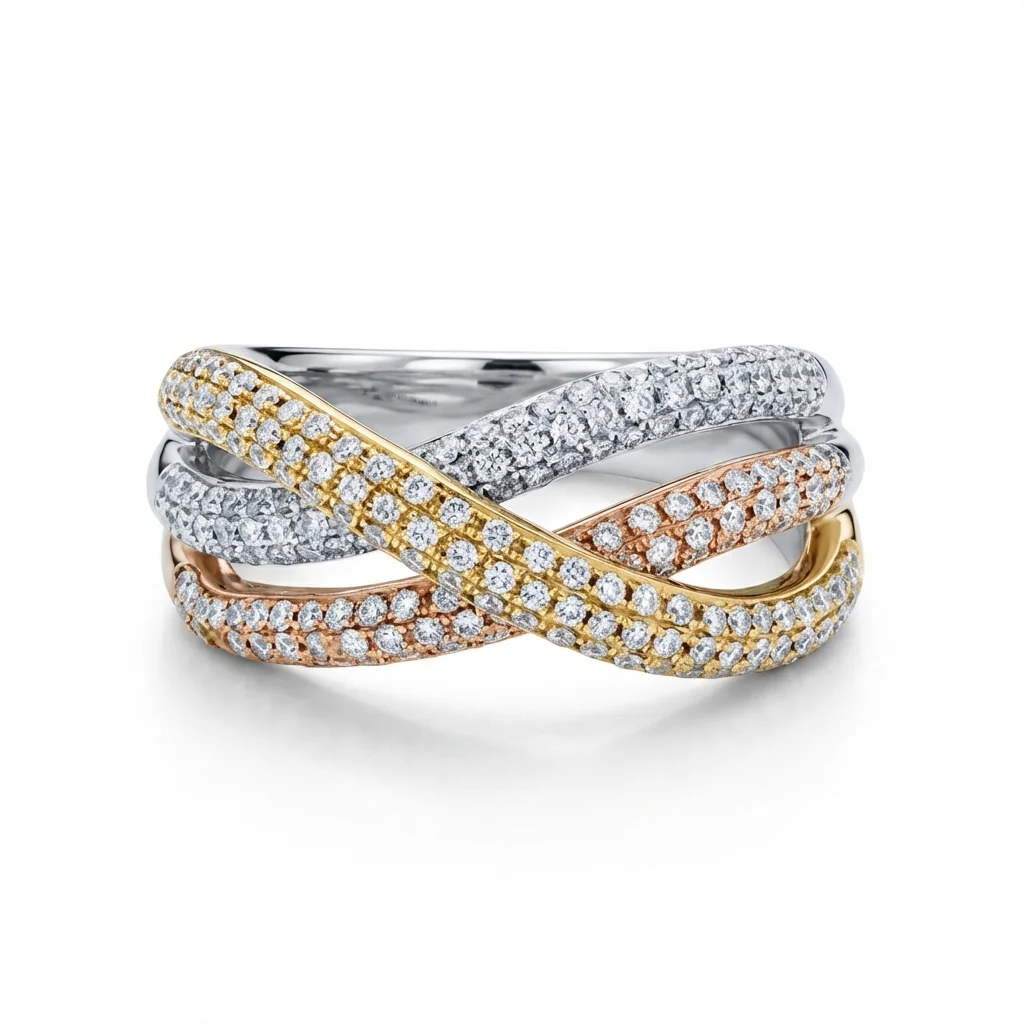
See the Transformation
One retouched jewelry photo, four useful outputs.
Why Choosing the Right Retouching Tool Matters
The wrong retouching tool wastes money and produces inconsistent results. Jewelry-specific tools understand metal reflections, gemstone facets, and chain details that generic editors miss. Your choice directly impacts catalog quality, processing speed, per-image costs, and long-term brand consistency.
Jewels Retouch: Purpose-Built for Jewelry Catalog Consistency
Jewels Retouch is the only AI tool built exclusively for jewelry catalog retouching. Its style reference system ensures identical backgrounds, lighting, and positioning across all products. Additional features include metal and stone color editing, set composition, and 1 credit + 3 included first previews before paying. Pricing: one-time credit packs with included first previews/image.
OIS.GOLD: Full-Service Jewelry Visualization Platform
OIS.GOLD is a comprehensive jewelry visualization platform offering 3D rendering, virtual try-on, lifestyle scenes, and video generation beyond basic retouching. It targets larger jewelry businesses needing creative marketing assets. Pricing is typically subscription-based with higher per-image costs than pure retouching tools.
Why Choosing the Right Retouching Tool Matters
Jewelry retouching isn't like general product photography. Metal surfaces create complex reflections, gemstones have facets that need careful enhancement, and fine details like chain links and prong settings can be easily damaged by generic AI processing.
Choosing the wrong tool leads to:
- Inconsistent results across your catalog
- Lost detail on fine jewelry elements
- Inaccurate metal color reproduction
- Wasted time on re-processing and manual corrections
- Higher long-term costs from inefficient workflows
The three platforms compared here represent different approaches to jewelry image processing: purpose-built jewelry retouching (Jewels Retouch), full-service jewelry visualization (OIS.GOLD), and general-purpose product photography AI (Photoroom). Understanding their strengths and limitations helps you match the right tool to your specific needs.
Jewels Retouch: Purpose-Built for Jewelry Catalog Consistency
Jewels Retouch focuses on one thing: making jewelry photos catalog-ready with perfect consistency.
Core capabilities:
- Style reference matching: Upload one reference image, and every processed photo matches its background, lighting, shadows, and positioning. This is the key differentiator for catalog work.
- Metal color editing: Change between yellow gold, rose gold, white gold, silver, and platinum after processing. Create SKU variations without reshooting.
- Stone color editing: Swap gemstone colors (diamond, sapphire, ruby, emerald, etc.) to create product variations.
- Set and poster composition: Combine multiple jewelry pieces into one catalog-style or lifestyle image using a reference layout.
- Free trial: 1 credit + 3 included first previews for new accounts before buying credits.
Best suited for:
- Jewelry brands building product catalogs
- Etsy, Shopify, and Amazon jewelry sellers
- Wholesale jewelry businesses processing large volumes
- Anyone needing consistent, catalog-grade jewelry product photos
Pricing: one-time credit packs with included first previews per image. Credits are one-time purchases that never expire.
OIS.GOLD: Full-Service Jewelry Visualization Platform
OIS.GOLD takes a broader approach to jewelry visualization, offering creative tools beyond basic retouching.
Core capabilities:
- AI-powered image enhancement and retouching
- 3D jewelry rendering from photographs
- Virtual try-on experiences for e-commerce
- Lifestyle scene generation (jewelry on models, in settings)
- Video and animation creation from product photos
- Social media content generation
Strengths:
- Most comprehensive feature set for jewelry marketing
- Virtual try-on can increase conversion rates
- Lifestyle scenes useful for social media and advertising
- 3D rendering for interactive product experiences
Limitations:
- Broader focus means less specialization in catalog retouching
- More complex platform with steeper learning curve
- Higher price point for businesses only needing retouching
- Consistency across large catalogs can vary without a dedicated style reference system
Best suited for:
- Larger jewelry brands with diverse marketing needs
- Companies wanting virtual try-on functionality
- Businesses that need lifestyle marketing imagery
- Jewelry retailers focused on social media marketing
Photoroom: General Product Photography AI
Photoroom is a widely-used general product photography platform, not jewelry-specific but capable of processing jewelry images.
Core capabilities:
- AI background removal (works across all product types)
- Batch processing for large catalogs
- Social media templates and auto-sizing
- AI-generated lifestyle backgrounds
- Team collaboration features
- API access for integration with e-commerce platforms
Strengths:
- Excellent background removal for simple product shapes
- Strong batch processing capabilities
- Templates for Instagram, Pinterest, marketplace listings
- Affordable subscription pricing
Limitations for jewelry:
- Not trained specifically on jewelry images
- No style reference system for catalog consistency
- No metal or gemstone color editing
- Can blur fine chain details, prong settings, and small stones
- Reflective metal surfaces sometimes processed incorrectly
Best suited for:
- Multi-category e-commerce stores
- Sellers who need social media templates
- Businesses where jewelry is one of many product types
Head-to-Head Feature Comparison
Here's a detailed comparison across the features that matter most for jewelry businesses:
Jewelry-specific AI: Jewels Retouch (Yes, exclusive focus) vs OIS.GOLD (Yes, broader platform) vs Photoroom (No, general product AI)
Style reference matching: Jewels Retouch (Yes, core feature) vs OIS.GOLD (Partial, scene selection) vs Photoroom (No)
Metal color editing: Jewels Retouch (Yes) vs OIS.GOLD (Yes) vs Photoroom (No)
Stone color editing: Jewels Retouch (Yes) vs OIS.GOLD (Limited) vs Photoroom (No)
Set and poster composition: Jewels Retouch (Yes) vs OIS.GOLD (Yes) vs Photoroom (Templates only)
3D rendering and virtual try-on: Jewels Retouch (No) vs OIS.GOLD (Yes) vs Photoroom (No)
Batch processing: All three offer batch capabilities
Processing speed: Jewels Retouch (30-60 seconds) vs OIS.GOLD (varies) vs Photoroom (10-30 seconds for background removal)
Pricing Comparison: Which Offers the Best Value?
Pricing structures differ significantly between the platforms. Jewels Retouch uses credit-pack pricing for HD downloads and additional versions, with included first previews and no subscription required. Packs are Single (1 credit), Starter (10 credits), Growth (50 credits), and Pro (200 credits). Credits never expire, so sellers can buy for a catalog push and use the balance later. Photoroom and Pixelcut are subscription-first tools; Adobe Photoshop requires a Creative Cloud subscription plus manual editing time.
Which Tool Is Right for Your Business?
The best choice depends on your specific business needs:
Choose Jewels Retouch if:
- Your primary need is catalog-grade jewelry product photos
- Consistency across your entire catalog is critical
- You need metal and stone color variations without reshooting
- You want credit-pack pricing for HD downloads and additional versions without monthly commitments
- You're a wholesale business, Etsy seller, or jewelry brand
Choose OIS.GOLD if:
- You need virtual try-on for your e-commerce store
- 3D rendering and video creation are important to your marketing
- You have a larger budget for a comprehensive platform
- Your business is large enough to justify the platform investment
Choose Photoroom if:
- You sell many product types, not just jewelry
- Social media templates and batch processing are priorities
- You prefer predictable monthly subscription pricing
- Your jewelry retouching needs are basic (background removal)
Many jewelry businesses use multiple tools: Jewels Retouch for catalog consistency and product images, with Photoroom or OIS.GOLD for social media and marketing content.